
Home / Solutions / LED displays by application / Shop window LED display
LED display · Indoor
Shop window LED display
A shop window LED display stops passers-by with a picture that stands out even in daylight and turns the window into a stage that is renewed every day. We design it with brightness, heat and reflection on the glass taken into account.
01
How the system works
Campaign visuals are prepared in the content management software and tied to a playout calendar. The player in the store passes content to the sending card; a brightness sensor turns the screen up by day and dims it in the evening. The picture plays on LED cabinets facing the window.
- Content managementCloud or local softwarePlayout scheduleBy hour and day
- PlayerMedia player or PC
- Sending cardDistributes the pictureBrightness sensorFollows daylight
- LED cabinetsReceiving cards and modules
Example system flow. Screen size, pixel pitch and structure are fixed in the design, to suit the site.
02
Advantages
Visible in daylight
High brightness keeps the picture readable despite sun on the glass.
A new window every day
Seasonal, promotional and launch content goes live without printing or changing the display.
Automatic brightness
The screen dims by itself at night, so it neither dazzles nor wastes energy.
A form made for the store
Special sizes such as column wraps, corner turns and ribbons are fitted to the architecture of the window.
Brands and ranges we use in this system
From the field
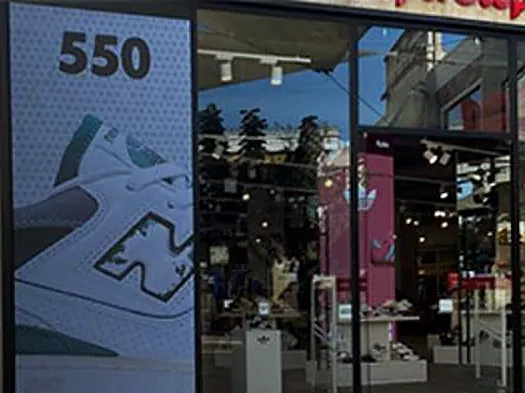
Photos · Upout archive
Related references
- SuperStepStore-specific LED display designs · Across Türkiye
03
The Upout difference
Our own brand: Upled
We supply LED displays under our own brand, Upled, with cabinets, modules and spare parts from one source.
01See it before it is built
We place the screen in a 3D model of the site, so size and sightlines are seen together before production.
02The right pixel pitch
We calculate pixel pitch from viewing distance and content; we do not propose a screen that is dearer than needed or too coarse.
03Service and spare parts
A spare-module plan is ready at handover; the team that installed the screen attends when there is a fault.
0404
Our project flow
- 01
Survey and brief
We settle the location, viewing distance and content plan together.
- 02
Design and pre-visualisation
We set screen size, pixel pitch and structure, and prepare the 3D view.
- 03
Proposal and technical design
Product list, drawings and schedule arrive in one file.
- 04
Production and supply
The screen is tested before shipment; spare modules travel with it.
- 05
Installation and commissioning
Structure, mounting, calibration and content system set-up.
- 06
Training and service
User training, handover file and after-sales support.
Frequently asked questions
Does the screen block the view into the shop?
A solid-faced screen hides what is behind it; if the interior should stay visible, we place the screen in part of the window or consider the transparent LED option. We decide by the window’s size and the brand concept.
Is heat build-up behind the glass a problem?
In sunlit windows we leave space for air to circulate between the screen and the glass and monitor the screen’s operating temperature remotely. If needed, we recommend ventilation or solar control film.
Related pages
- LED poster displayLED displays by application
- Meeting room LED displayLED displays by application
- Retail and shopping mallsSectors
- LED display and video systemsSolutions
- Engineering and project consultancyEngineering and consultancy
- After-sales support and serviceAfter-sales support
Terms on this page
Let’s plan your project together.
Whether you have architectural drawings, a specification or just an idea, our engineering team is ready for a survey and concept design.